Import your TikTok saves
MemRa is much more useful with your existing TikTok history in it. Otherwise you sign up, save one video, and the inbox is empty — not great. This page walks you through pulling your TikTok favourites + likes out of the TikTok app so we can import them into your MemRa account.
About 2 minutes of tapping in the TikTok app, then a wait while TikTok prepares the file — usually hours, sometimes longer. It won't reliably tell you when it's ready, so turn on the reminder and we'll email you. We do the actual import once you send us the file.
In the TikTok app on your phone
📷 The screenshots below are in English — TikTok and Instagram show their own screens, but the buttons are in the same place in your language.
-
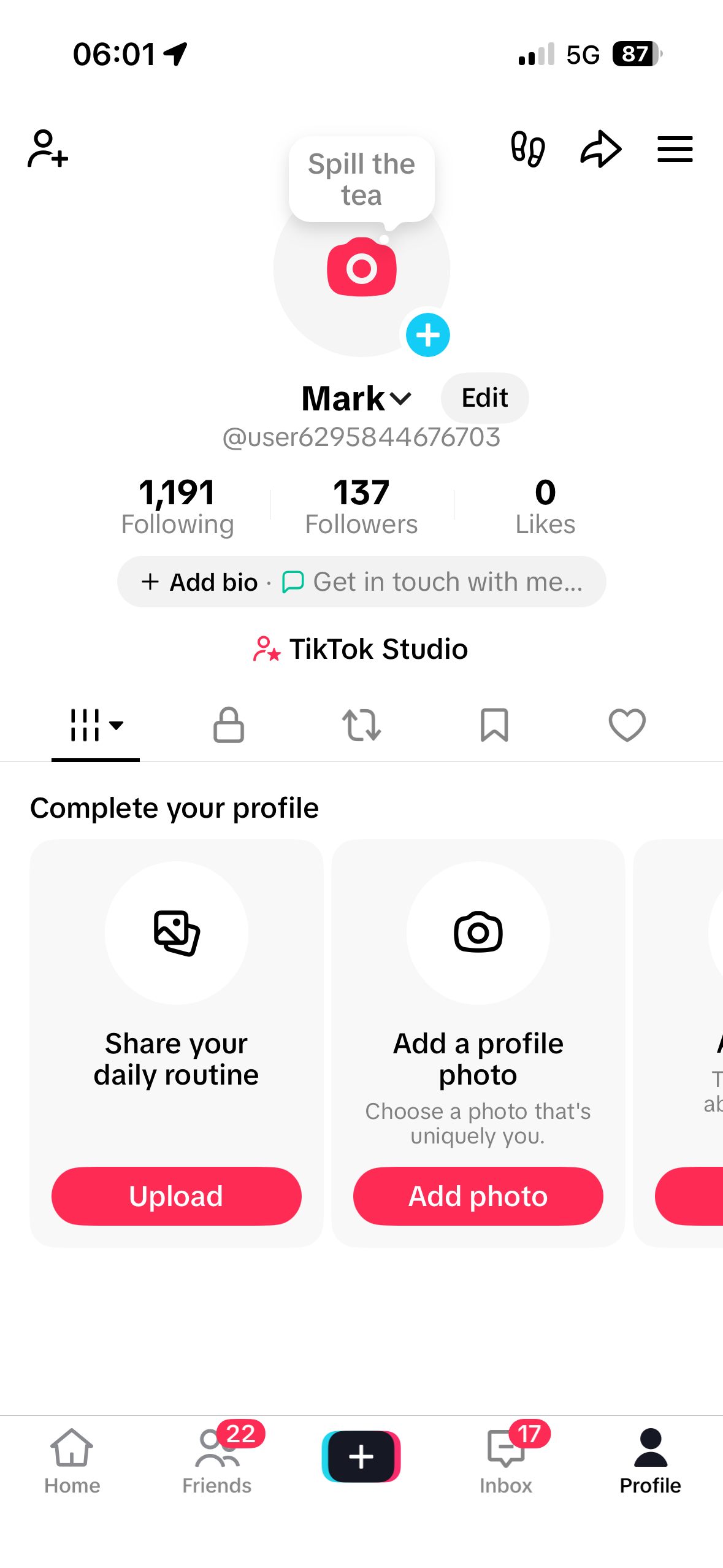
Tap Profile at the bottom-right
From anywhere in TikTok, open your profile.
-
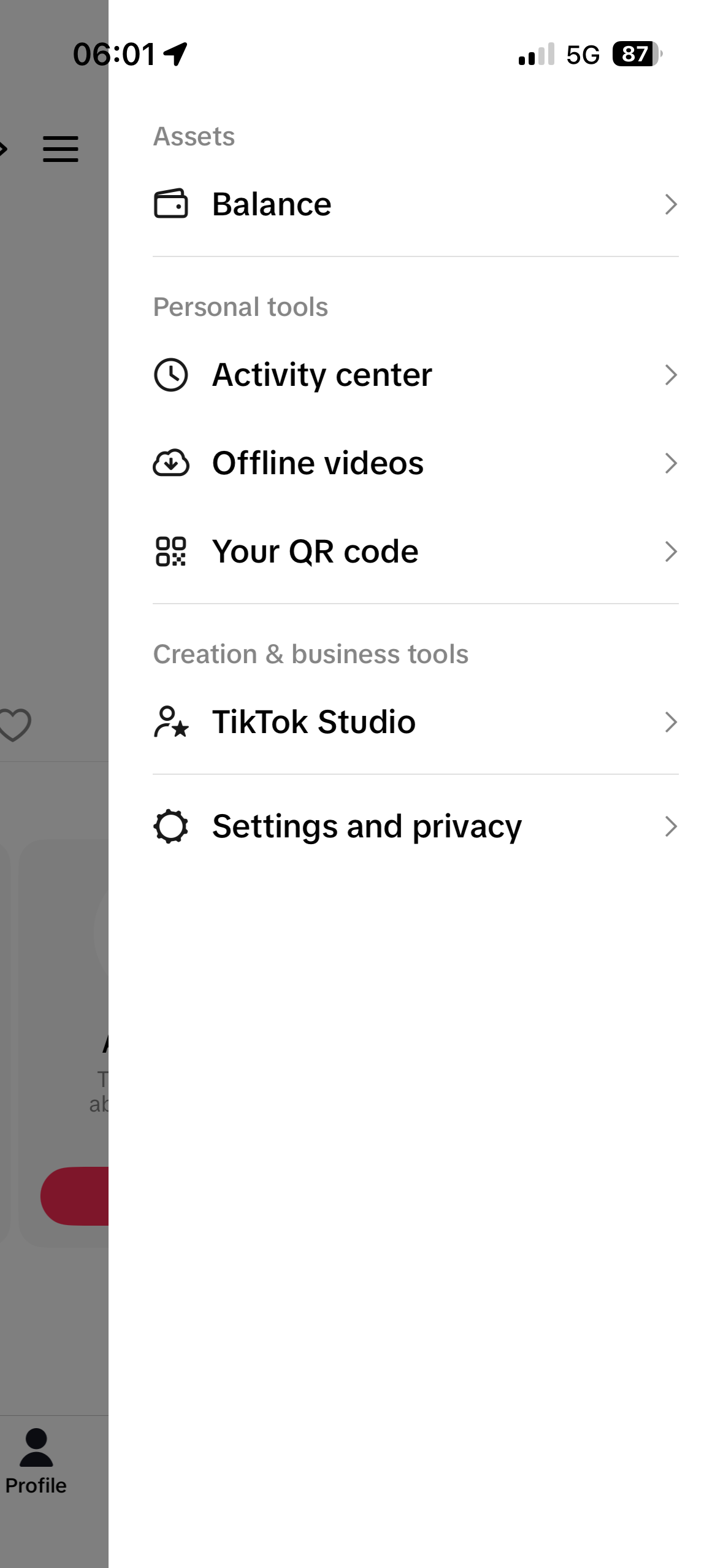
Tap the ☰ menu at the top-right
-
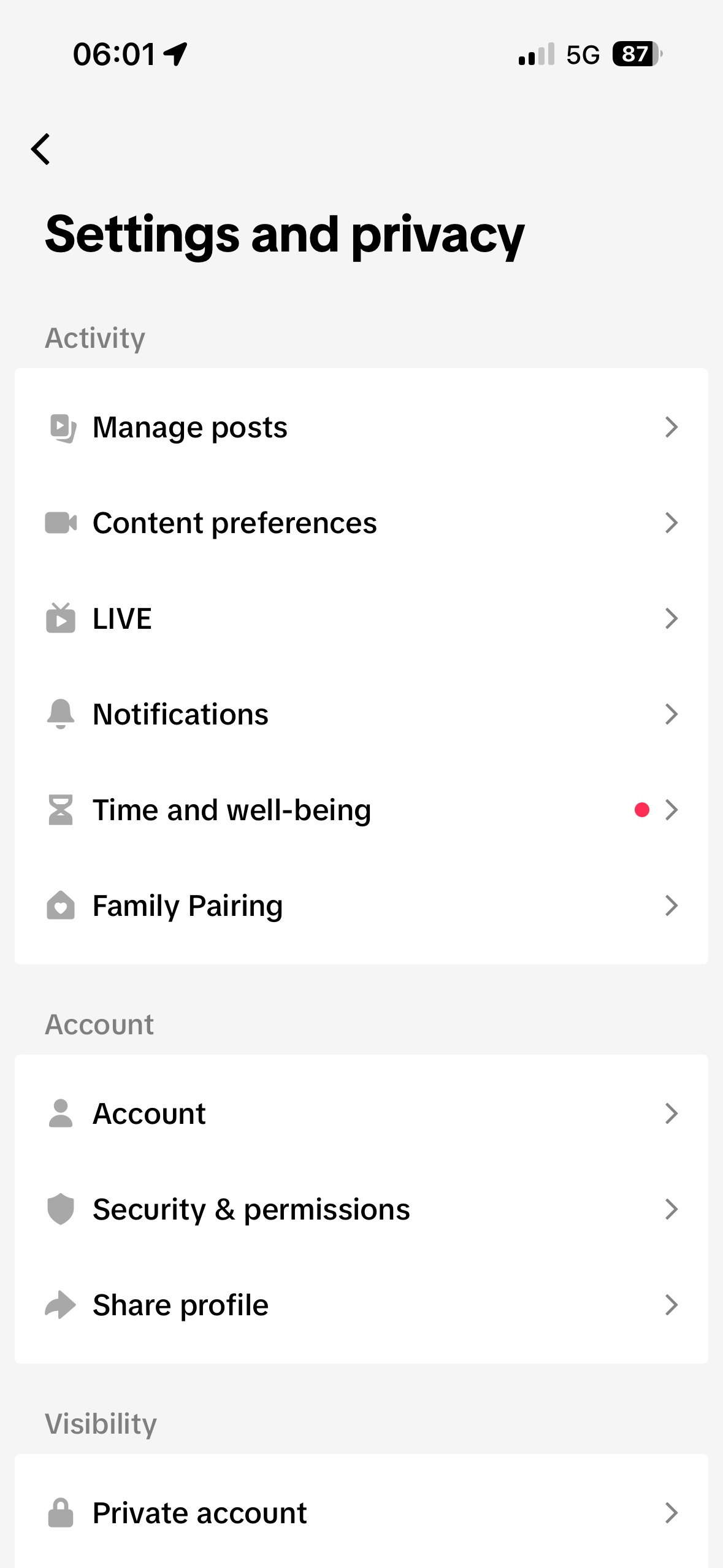
Tap Settings and privacy
It's at the bottom of the side menu, under "Creation & business tools".
-
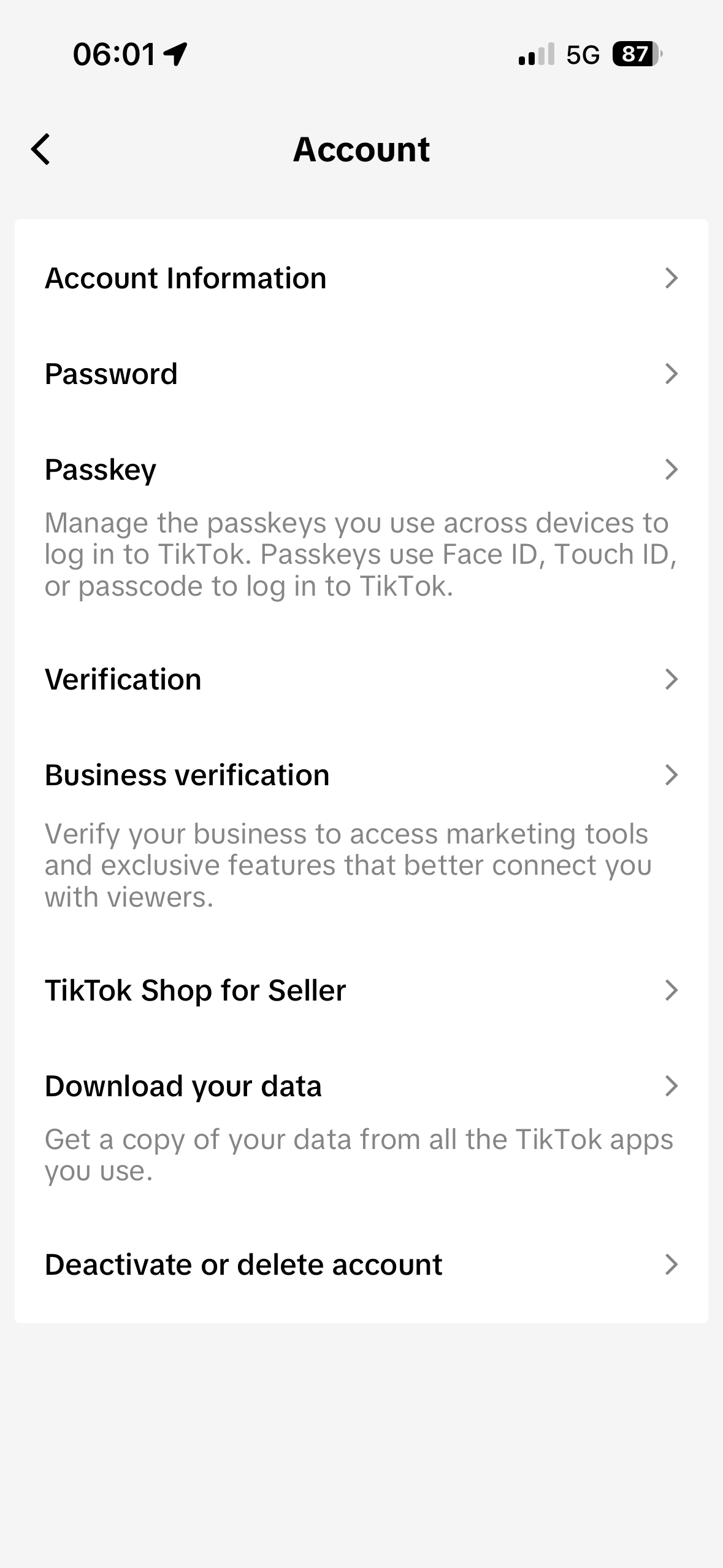
Tap Account
Under the "Account" section heading.
-
Tap Download your data
-
On the Request data tab — do all three of these
① Pick JSON as the format
② Tick Likes and Favorites (deselect everything else if it's not already)
③ Tap Request data at the bottom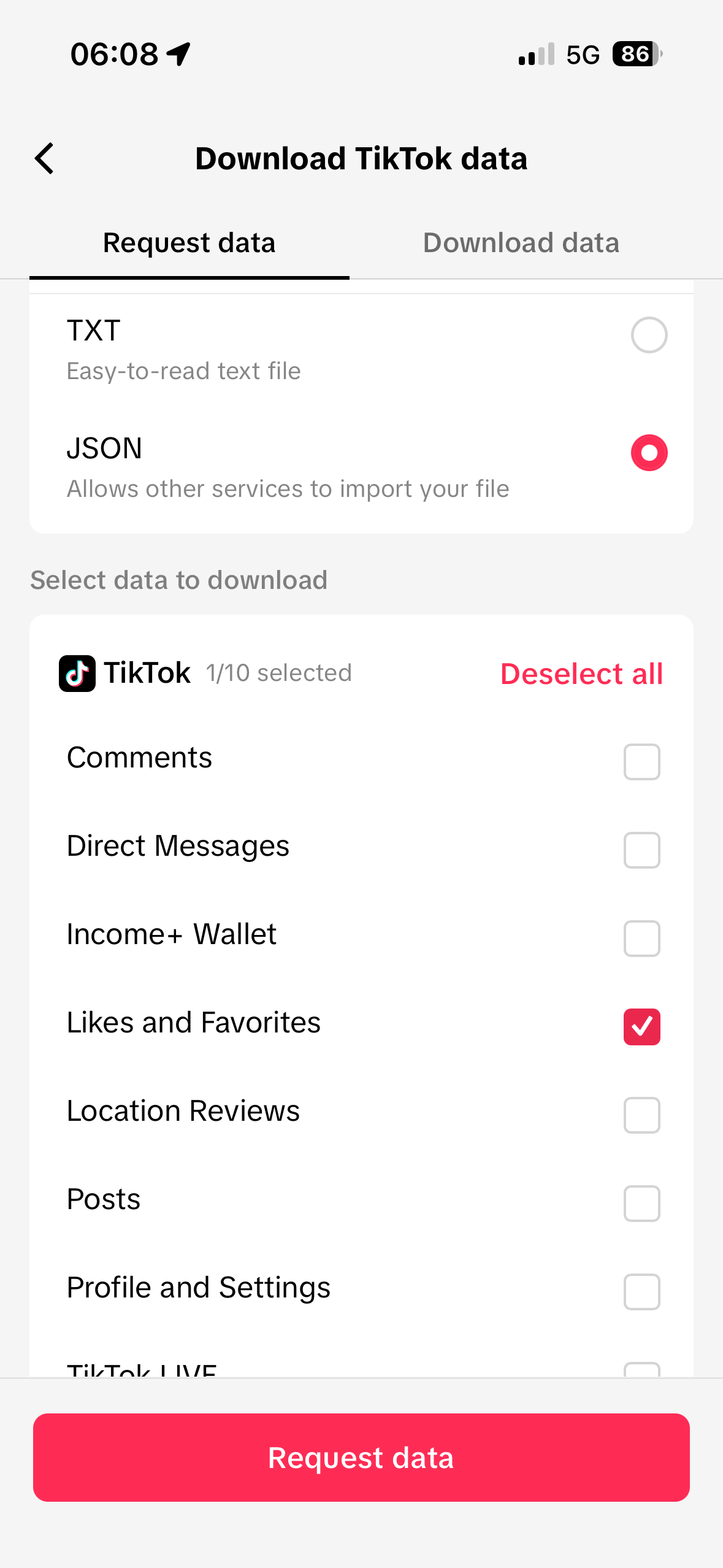
TikTok will say "request submitted". Now the part that catches people out: TikTok often won't tell you when it's done. Plenty of people get no email and no notification at all, wait for one, and give up — so don't wait. Come back and look under the Download data tab yourself. Turn on the reminder below and we'll email you instead.
Recommended — TikTok may not tell you, so let us:
We'll email you once every 24 hours, up to 5 emails, then stop. The reminder auto-stops the moment you upload. Sign-in required.
-
Later, go back in yourself and switch to the Download data tab — tap Download
Same path: Profile → ☰ → Settings and privacy → Account → Download your data. This time switch the tab from Request data to Download data and tap the red Download button on the most recent request.
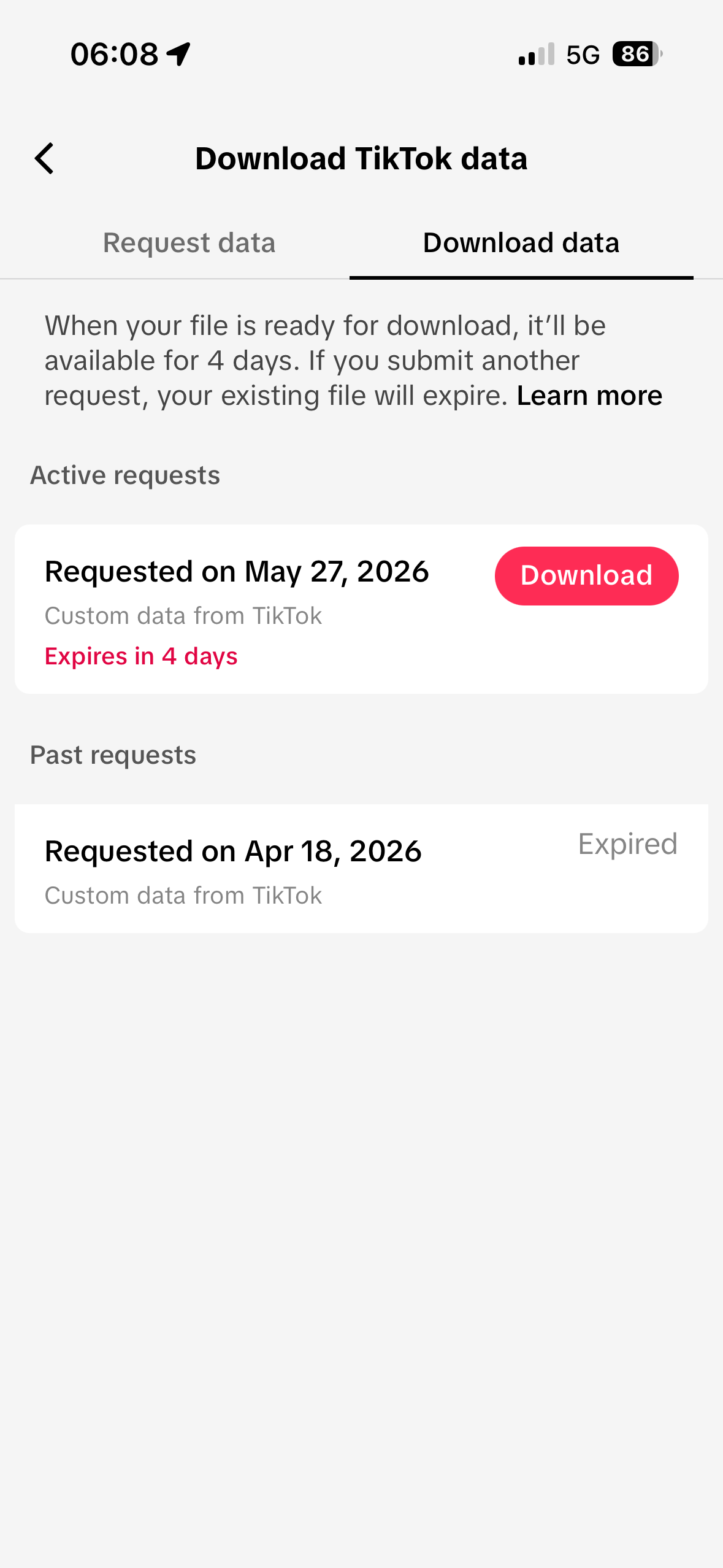
You'll end up with a
.zipfile on your phone called something likeTikTok_Data_xxxxxxxxxx.zip. The link expires after 4 days so don't sit on it.
Bring it into MemRa
Got the .zip? Two ways to get it in:
-
In the MemRa Android app — open the ☰ menu →
Import past saves → choose your
.zip. (See the Android guide.) -
Send it to us on WhatsApp — attach the
.zipas a file and send it to MemRa on +34 603 62 07 88. Because it comes from your own number, we know it's you — we'll import it into your inbox for you.
We only import items you haven't already saved by forwarding, so duplicates are skipped automatically — it's safe to send it more than once.
FAQ
Why both Likes and Favorites?
Different people use different buttons. The heart (Like) is casual, the bookmark (Favorite) is deliberate "I'll come back to this". We import both so you don't miss anything. If you only want the bookmarks, untick Likes when generating the file.
What if my data is huge?
The TikTok JSON is text-only — even years of saves usually come in well under 10MB. No attachment-size issues for normal email.
What about Instagram / YouTube history?
Instagram is ready — see Import your Instagram saves. YouTube is coming; the same general idea — request your data from the platform, send us the file.
Will every video definitely make it in?
Almost all — but some videos may have been deleted by the creator, gone private, or had their share-page taken down between when you saved them and when we import. Those will show as "couldn't preview" cards with just the URL — still searchable, still in your inbox, just no thumbnail/title.