Saving videos with the Android app
Found a video worth keeping? Tap Share and pick MemRa. It lands in your inbox within a few seconds — transcribed, summarised and tagged — so later you can find it just by asking, instead of endlessly scrolling your saves.
The very first time you save from TikTok it's two taps of More to find MemRa. After that it's pinned in your share row and it's a single tap.
Get started
Open the MemRa app and sign in — tap Continue with Google, or use your email and password (get the app first if you haven't).
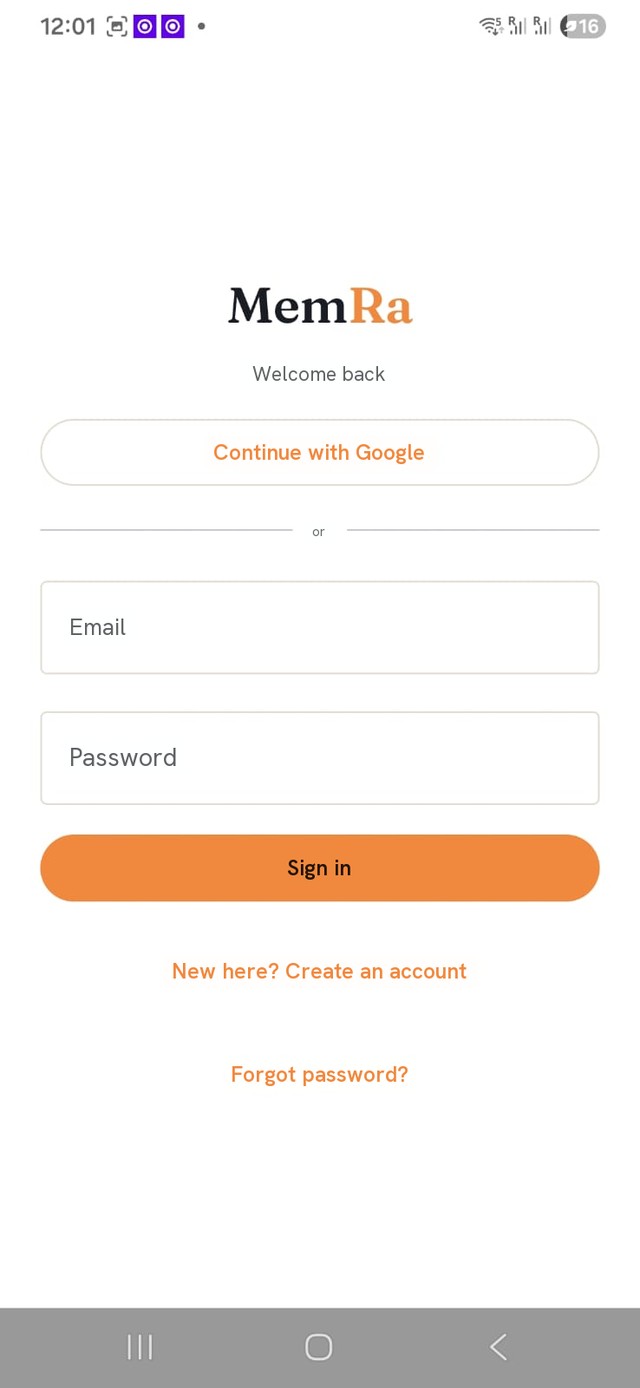
Save a TikTok in a few taps
📷 The screenshots below are in English — TikTok and Instagram show their own screens, but the buttons are in the same place in your language.
-
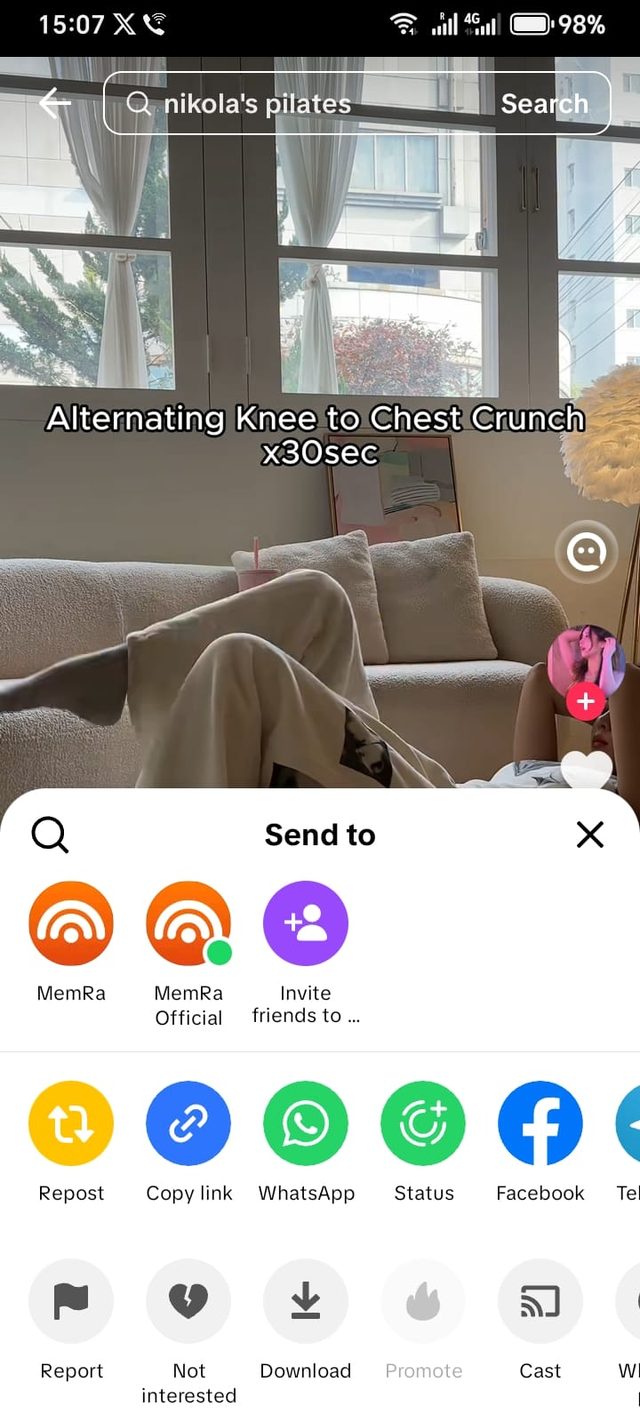
Tap the share arrow
On the video you want to keep, tap the ➤ arrow on the right-hand rail.

-
Tap “More”
On TikTok's “Send to” sheet, tap More — the ⋯ on the far right of the app row.
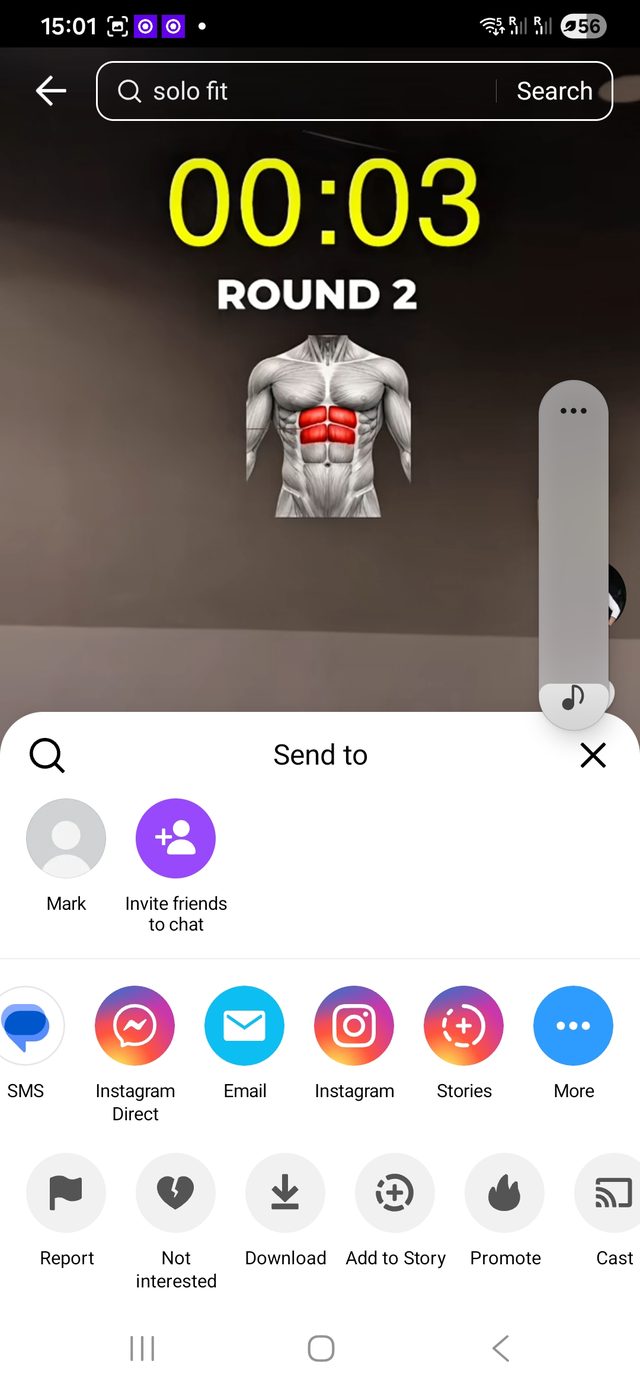
-
Tap “More” again
Your phone's own share sheet slides up. Tap More once more to open your full app list.
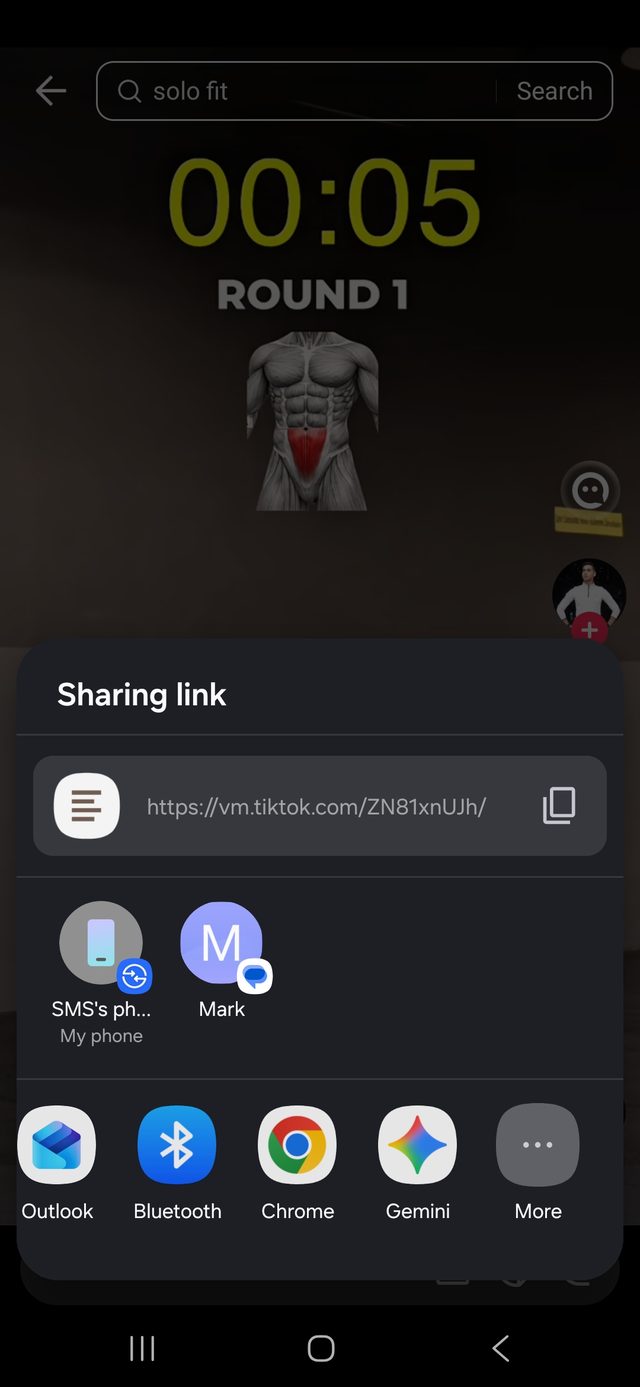
-
Tap MemRa
Find MemRa — the orange icon labelled “Save to MemRa” — and tap it once. It's already saving and transcribing.
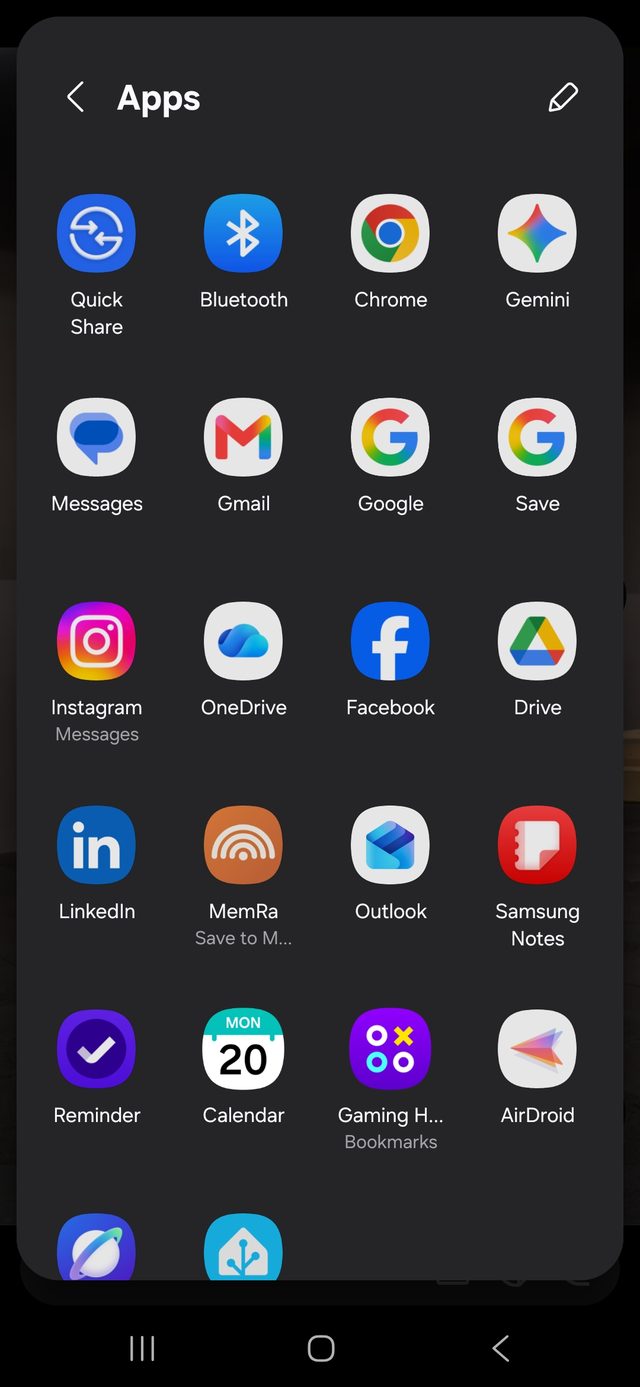
-
Next time: one tap
From now on MemRa sits in the top row of the share sheet — no more “More”.
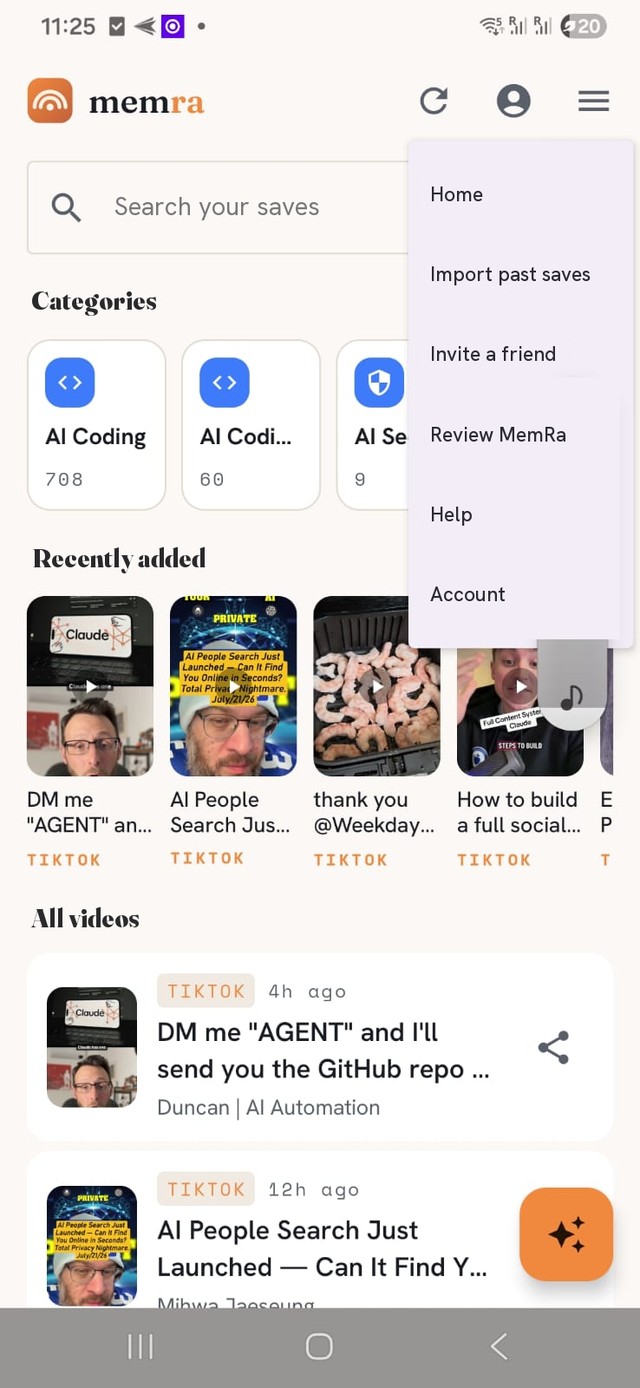
Then find it by just asking
Open your inbox and search by title, creator or your own notes — or tap the ✦ Ask MemRa button and ask a question in plain English. It answers from what you've saved and links the exact videos it used.
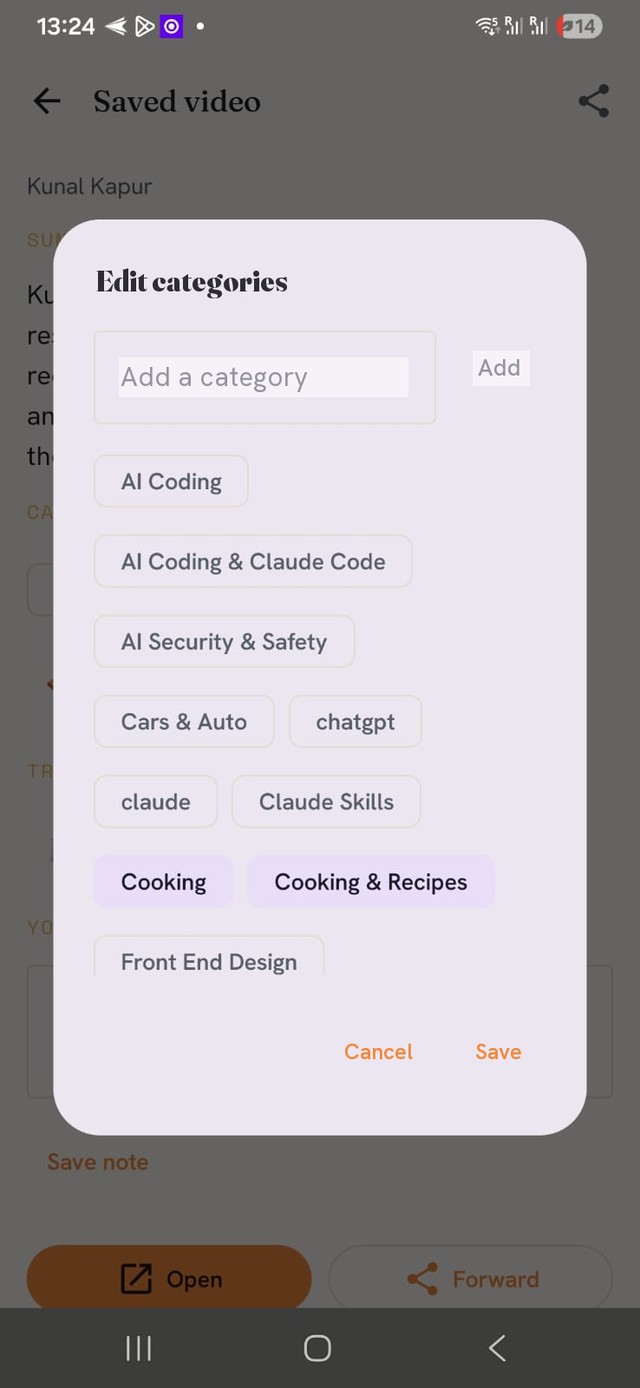
Fix a category
Got it wrong, or want to file it somewhere else? Open any saved video and tap Edit categories — add your own or tap the chips to change them, then Save. Your edits stick and won't be overwritten by later AI runs.
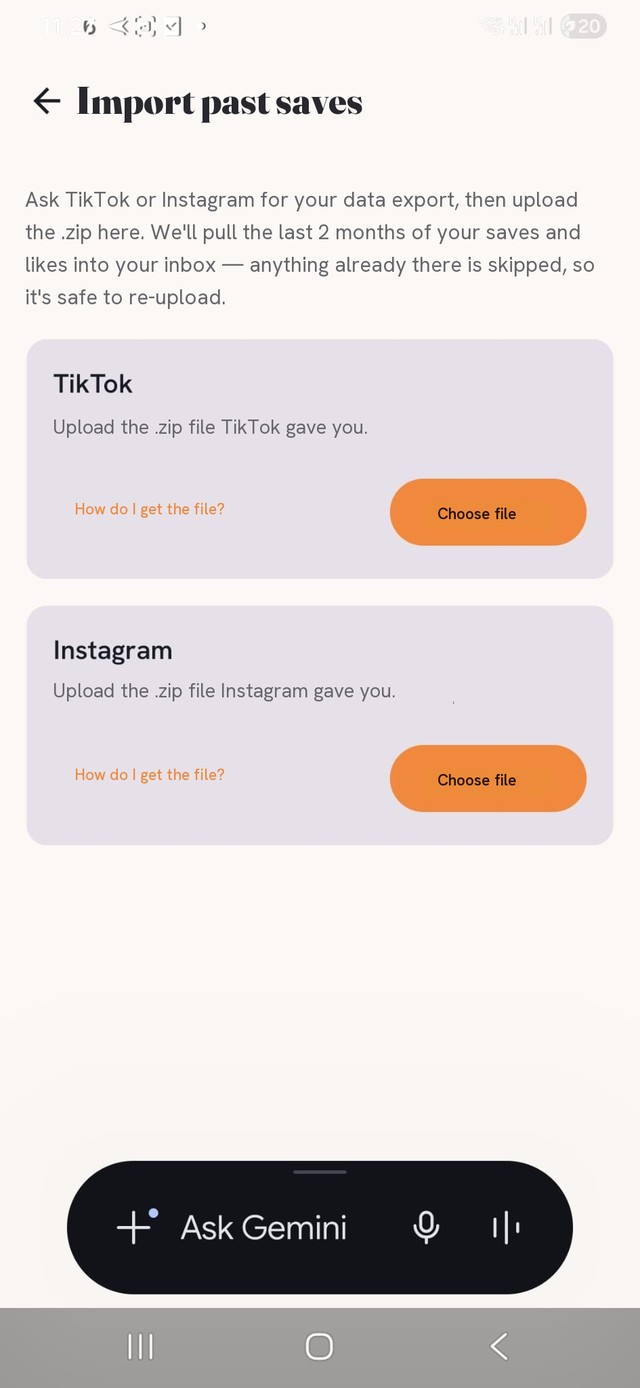
Bring your history with you
Been saving videos for years? Import your existing TikTok or Instagram history so your inbox isn't empty on day one — ☰ menu → Import past saves. See the TikTok import guide or the Instagram import guide.
The even faster way: copy the link
Skip the share sheet entirely. Tap Share → Copy link, then just open MemRa — it spots the link you've copied and offers to save it. More on the copy-link shortcut.
On an iPhone? The flow is nearly identical — see the iPhone guide. Prefer to save over WhatsApp instead? That works too — see the main help guide.