Help & guides
How MemRa works
Save a video once and MemRa transcribes it, summarises it and files it away — so later you find it just by asking, instead of scrolling your saves forever.
🎬 Watch first
The whole app in four minutes
Rather be shown than told? This walkthrough covers everything on this page — saving, finding and sharing — end to end. Each section below has its own short video too.
The basics
Two ways to save
Both land in the same inbox — use whichever suits you, or both.
The MemRa app
Share videos straight from TikTok, Instagram, YouTube or your browser.
On Android → On iPhone →📱 The app
Saving from the Android app
The MemRa app is a free download on Google Play. Once it's installed:
- Sign in with your MemRa account — or sign up right in the app (Google sign-in works too).
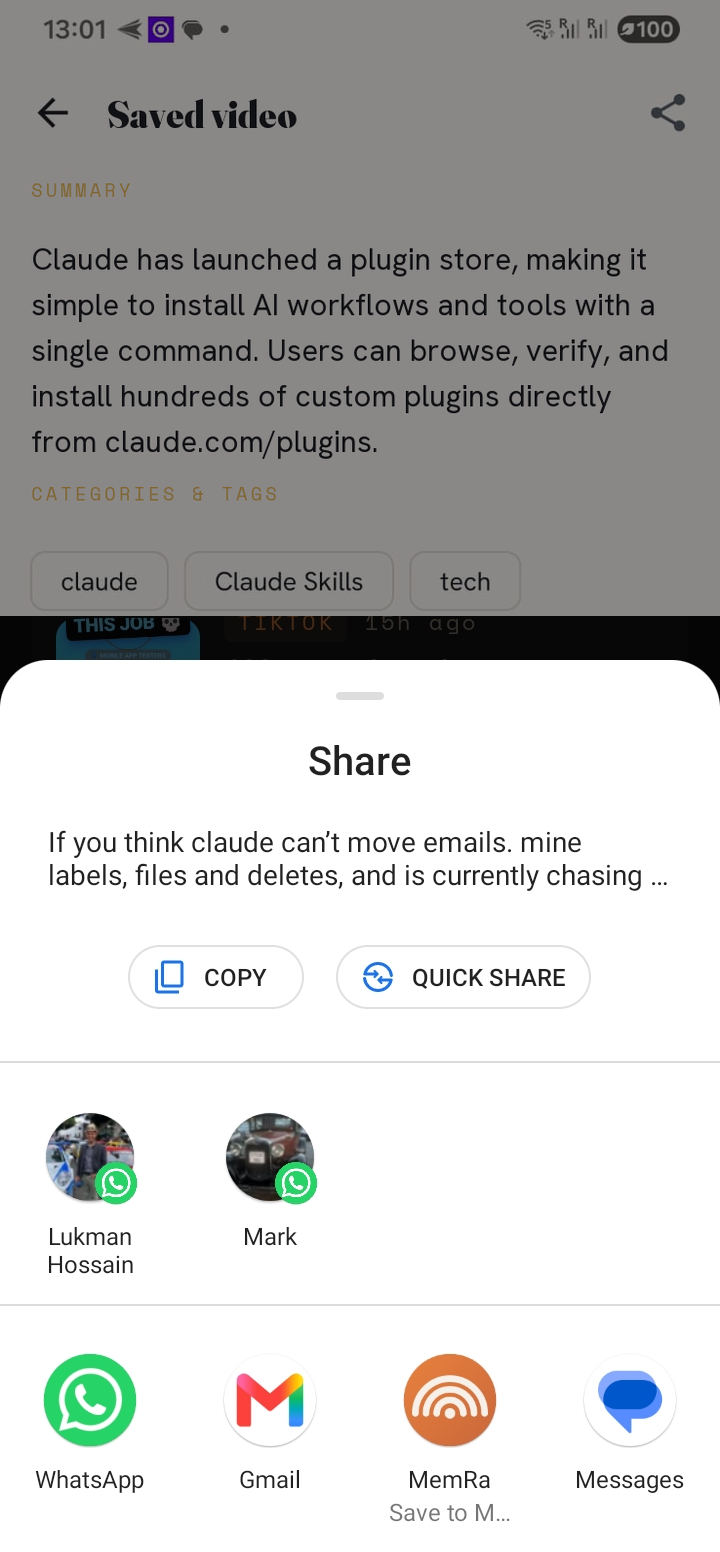
- Save a video: in TikTok, Instagram, YouTube or your browser, tap Share and choose MemRa. It's saved, transcribed and tagged within seconds.
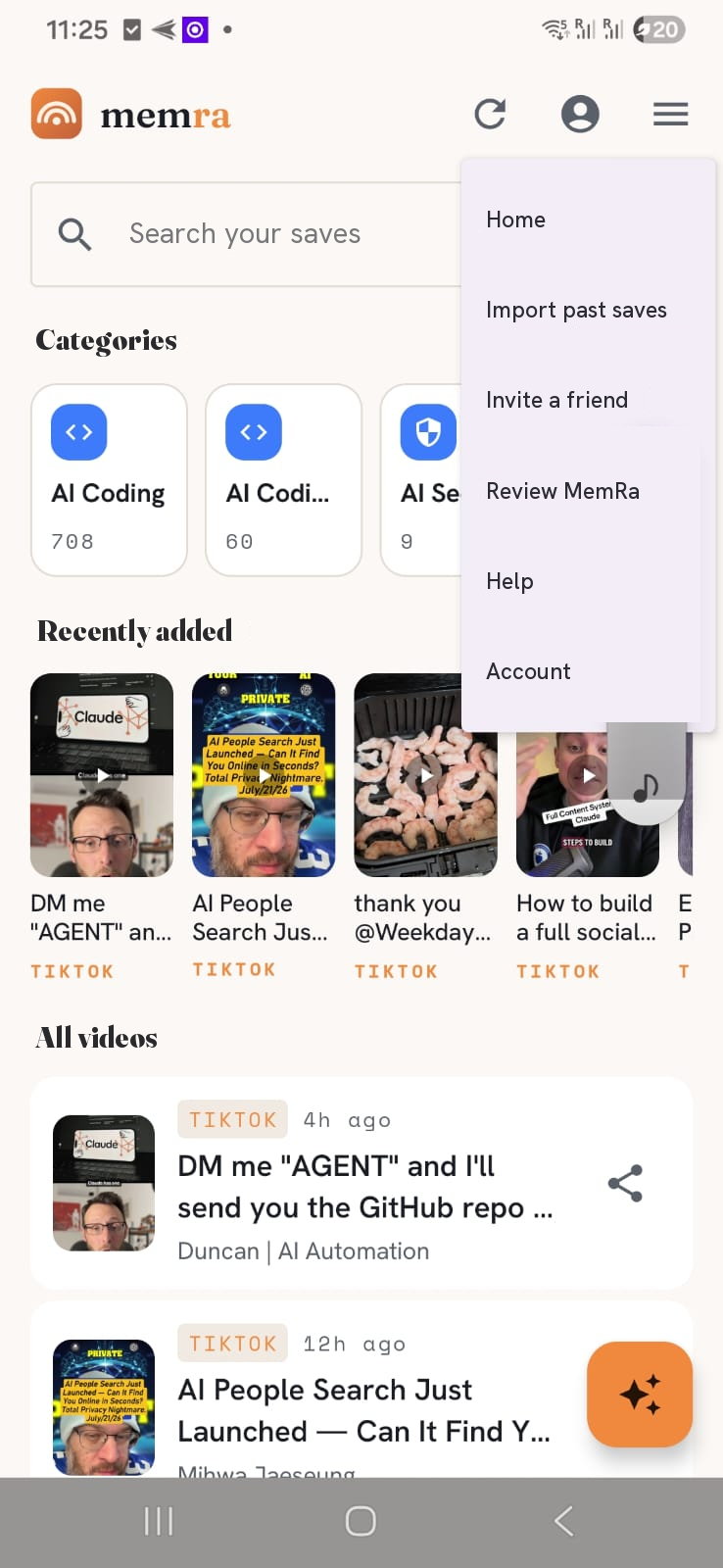
- Find it later: open the inbox and search, or tap ✦ Ask MemRa to ask a question — it answers from your saves and links the videos it used.
- Forward a video on to a friend with the Forward button — it goes out with a short MemRa line and link.
- Import your history from the ☰ menu → Import past saves.
📱 See the full step-by-step Android guide →
Everything about the AI, categories, transcripts and importing works the same whether you save from the app or from WhatsApp.
🍎 The app
Saving from the iPhone app
MemRa is a free download on the App Store. Saving works the same as on Android — with one iPhone quirk worth knowing.
- Sign in with your MemRa account — or sign up in the app (Google and Apple sign-in both work).
- On the video you want to keep, tap Share. That's the ➤ arrow in TikTok, Instagram, YouTube or Safari.
- Tap “More” to open the full share sheet, then find MemRa in the app row and tap it. It's saved and confirmed within a second.
- Find it later in your inbox — search it, or just ask.
The iPhone tip: the More you tap is TikTok's own — the blue ••• at the end of its share row. That opens your iPhone's share sheet, where MemRa sits alongside AirDrop, Messages and Mail.
🔗 The shortcut
Saving by copying a link
The fastest way of all, and it works on both Android and iPhone — no share sheet at all.
- On any video, tap Share → Copy link.
- Open the MemRa app. It spots the link you've just copied and offers to save it — tap once to confirm.
- That's it. It's in your inbox, transcribed and tagged, within seconds.
MemRa only ever looks at your clipboard while the app is open and in front of you, and only to check whether you've copied a video link. It isn't read in the background.
🔎 Recall
Finding what you saved
Open your inbox and search by title, creator or your own notes, or filter by source and date. Every card has an Open button straight to the original.
Not sure of the words? Ask MemRa a plain question — "that pasta recipe with the crispy garlic" — and it answers from what you've saved, with the videos it used linked underneath. That's the whole point: you don't have to remember where you put it.
↗️ Share
Sharing what you've saved
Open any saved video and tap Share to send it on over WhatsApp, email, Telegram — anywhere. It goes out with the video plus a short MemRa line and link, so whoever you send it to can try MemRa too.
It isn't only single videos. Ask MemRa a question and you can share the whole answer, videos and all. Or open one of your categories and share the entire collection in one message — handy for a recipe list or a workout set.
📦 History
Bring your history with you
Been saving videos for years? You don't have to start from an empty inbox. Export your saved history from the app, then upload it to MemRa in one go — pick your platform:
Saving over WhatsApp
Prefer WhatsApp, or don't have the app yet? Save the MemRa number as a contact and forward links to it — they land in the same inbox.
What you need
- Sign up at memra.dostumamigo.com — tap Register (or continue with Google). Use the phone number you'll message from — that's how we link your saves to your account. Include the country code, e.g.
+447700900000.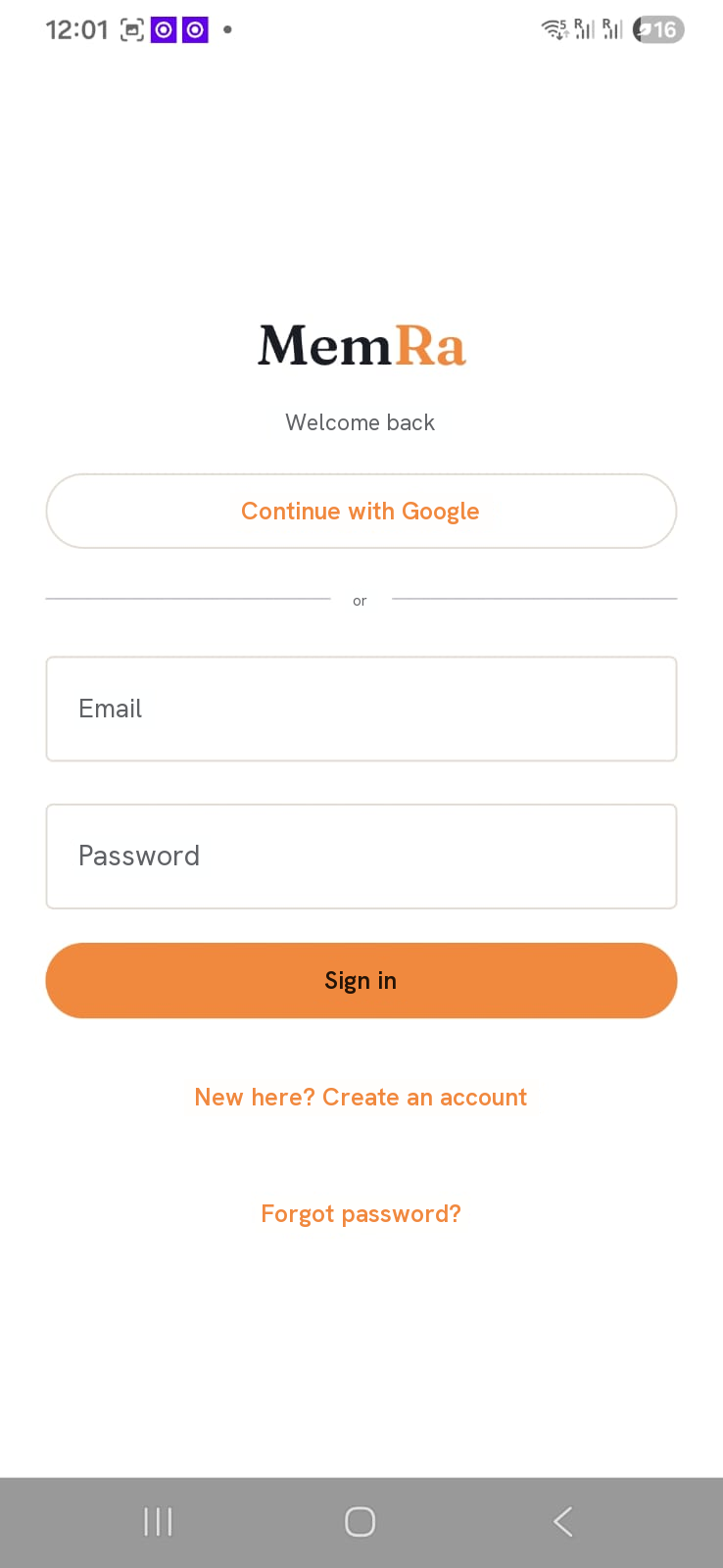
The MemRa sign-in page — tap Register to create an account. - Confirm your email. Click Confirm & sign in in the email we send (it comes from MemRa — check spam if it's not there) and you're logged in.
- Pick your categories. First sign-in, choose a few (Cooking, Tech, Travel…) — the AI uses them to file new saves. You can change them any time.
- Save the MemRa contact and send your first link. Open WhatsApp to MemRa with the button below, then add it to your contacts so it appears when you share from TikTok, YouTube and the rest.
💬 Open WhatsApp & save MemRa Or save manually: +34 603 62 07 88 · name it "MemRa" · download contact cardWithin seconds you'll get a threaded reply confirming the save, with the tags the AI assigned and a link straight to the item.
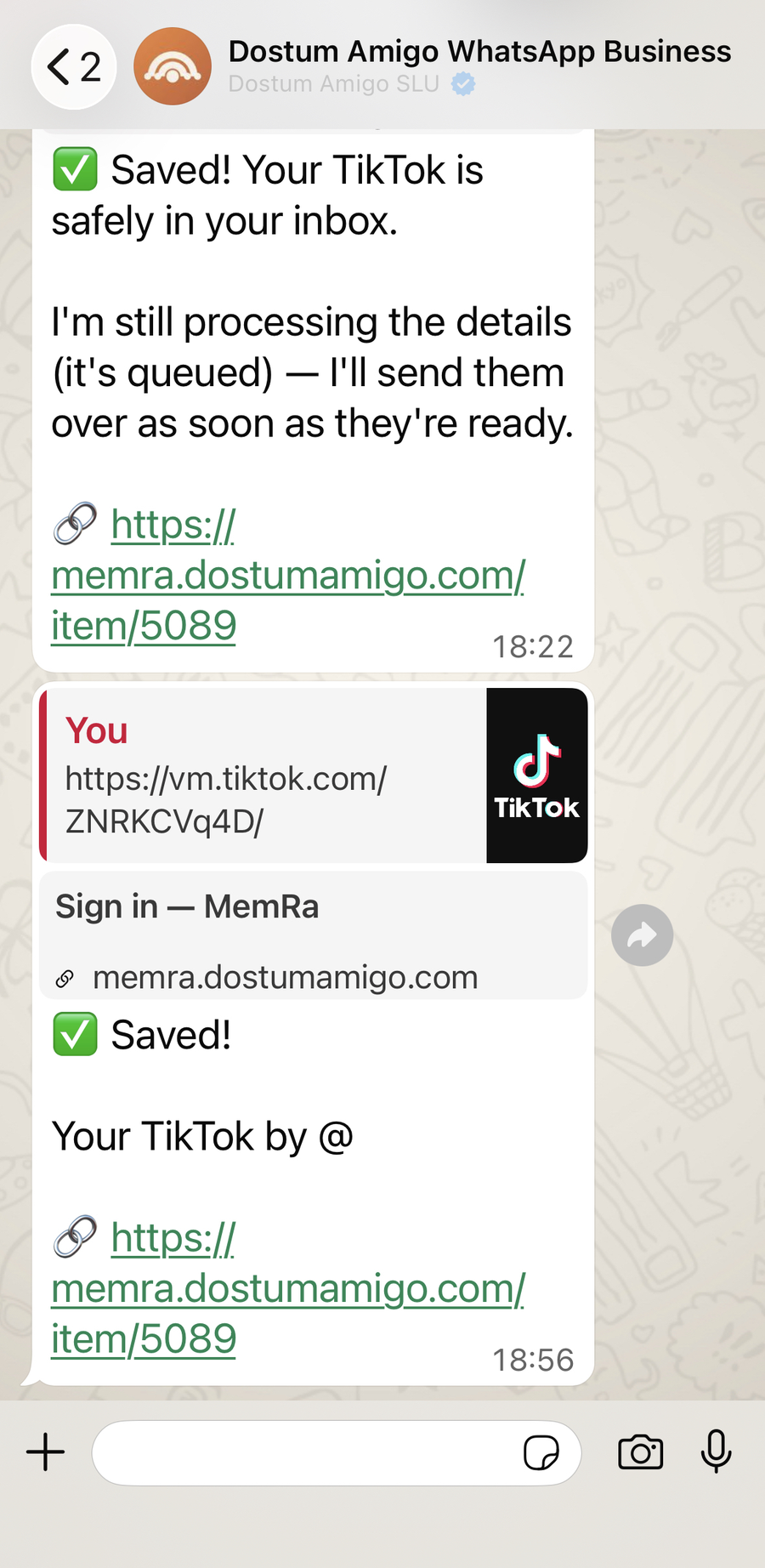
Forward a link, get the ✅ Saved! reply within seconds. - Find it later in your inbox — same place the app saves to.
⭐ MemRa Pro
Plans, upgrading and cancelling
What do I get for free?
Your first two months are free: 25 saves a month, all fully transcribed and searchable, 10 questions a month to MemRa's AI, up to 1,000 imported videos, and reminders. After that, MemRa Pro keeps you saving, asking and importing — everything you've already saved stays there to browse and search. See pricing
How do I upgrade to Pro?
In the MemRa app for iPhone or Android, open Account and tap Upgrade to MemRa Pro. Subscriptions are handled by the App Store and Google Play, so there is nothing to buy on this website.
How do I cancel?
Cancel in the store you bought it from, not in MemRa. On iPhone: Settings → tap your name → Subscriptions → MemRa. On Android: open Google Play → your profile picture → Payments and subscriptions → Subscriptions → MemRa. You keep Pro until the end of the period you have already paid for.
I paid but MemRa still says Free
Give it a couple of minutes — the store tells us about a new subscription shortly after the payment clears. If it has not caught up, open the upgrade screen in the app and tap Restore purchases. If it still says Free, get in touch and we will sort it out. Contact us
I changed phone — do I have to pay again?
No. Sign in to MemRa on the new phone with the same store account you bought with, open the upgrade screen and tap Restore purchases.
Can I get a refund?
Refunds are handled by Apple and Google under their own policies, so the request goes to the store rather than to us. Your rights as a consumer are not affected.
I have been using MemRa since before Pro existed
Then you have MemRa Pro free for twelve months as an early supporter. There is nothing to do and nothing to pay — your account page shows the date it runs to.
🤖 AI apps
Connect MemRa to an AI app
You can let an AI app — such as Meta Muse, Meta AI, Claude or ChatGPT — search your saved videos and answer questions from them. Connecting AI apps is part of a paid MemRa Pro subscription.
How do I connect an AI app?
If the AI app lists MemRa among its connectors, choose it there. Otherwise add a custom connector with the address https://memra.dostumamigo.com/mcp. The app sends you to MemRa to sign in: check which app is asking, then tap Allow.
What can a connected app see and do?
It can search your saved videos and read their titles, links, summaries, categories, your notes and the full transcripts, and answer questions about them. It cannot add, change or delete anything, and it never sees your email address, password or account details.
Why does MemRa say “Unverified app”?
An app chooses its own name, so MemRa shows this warning for any app it does not recognise, together with the website the app will send you back to. Only continue if you started the connection yourself and trust that website.
How do I disconnect an app?
Open your Account page on the MemRa website and choose Disconnect next to the app. Its access stops immediately. Deleting your account disconnects every app. Your account · Privacy Policy
For developers and platform reviewers
MemRa is a remote MCP server at https://memra.dostumamigo.com/mcp (streamable HTTP, JSON responses).
Sign-in is OAuth 2.1 with PKCE (S256). Discovery: /.well-known/oauth-protected-resource/mcp and /.well-known/oauth-authorization-server. Dynamic client registration and client ID metadata documents are both supported.
One scope, library:read. Four tools, all read-only: search_saves, get_save, list_categories, ask_saves. Access requires a paid MemRa Pro subscription.
❓ FAQ
Common questions
Can I forward links from any phone, or only the one I signed up with?
Only the phone you signed up with — we match incoming WhatsApp messages to accounts by the sender's number. Message from a different number and we'll reply asking you to register it too.
Can I send more than one link in a message?
Yes — paste as many as you like, separated by spaces or newlines. Each becomes its own item with its own confirmation reply.
Can I add a note alongside the link?
Any text you send with a URL is saved as your note on the item. Forward a recipe with "vegetarian, doable on a Tuesday" and that note shows on the card — so future-you knows why you saved it.
Which platforms does it work best with?
TikTok, Instagram, YouTube, Facebook and X, plus generic web pages with Open Graph metadata. We fetch the title, creator, thumbnail and (where possible) caption, then the AI writes a one-line summary and suggests which of your categories it fits.
The AI categorised something wrongly — can I fix it?
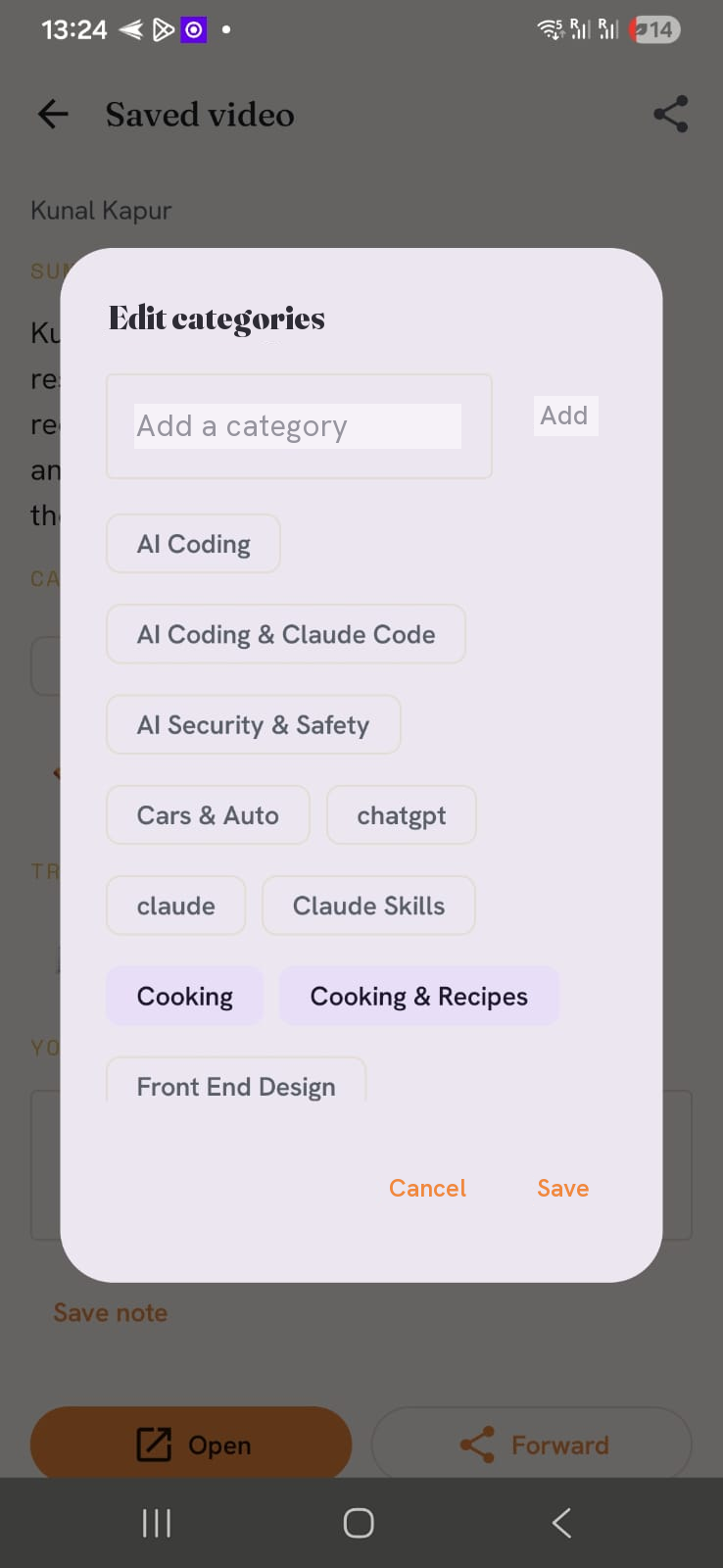
Yes. Tap Edit on any card (or "Edit categories" in the app) to change the categories and add a note. Your edits stick and won't be overwritten by later AI runs.
Can I delete things?
Every card has a Delete button. Deleted items move to trash and are recoverable during the testing phase.
Is this private?
Only you can see your own inbox — we don't share saves between users. AI summaries are generated by Google Gemini, and only the title and caption are sent to it, never your email or phone number.
Still stuck?
Tell us what you tried and what happened — we'll get you sorted.
✉️ Message support